
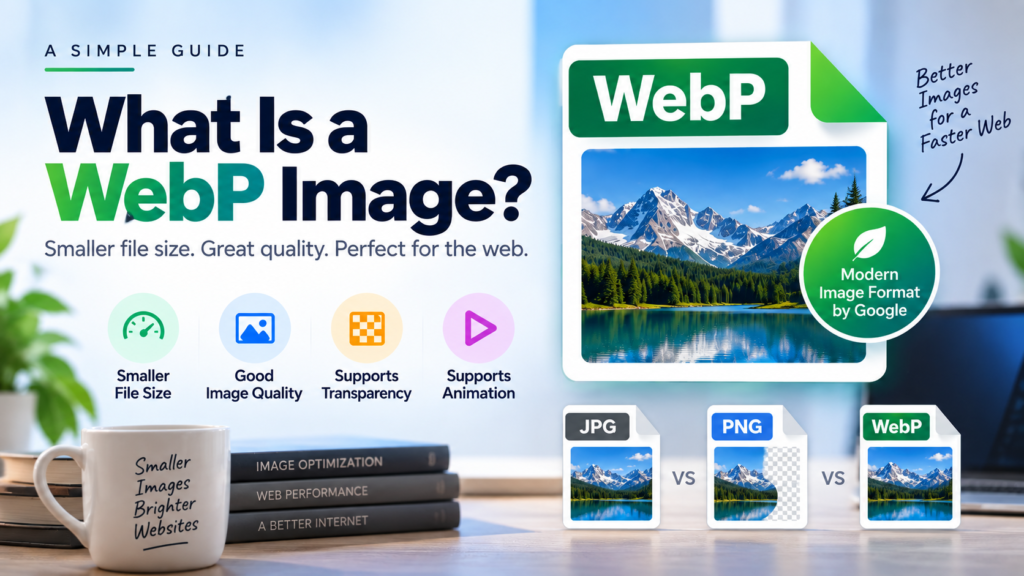
WebP is a modern image format created by Google. It is designed to make images smaller while keeping good visual quality. Because of its smaller file size, WebP is widely used on websites to help pages load faster.
If you have downloaded an image from a website, you may have seen a file ending in .webp. But what exactly is WebP, and how is it different from JPG and PNG?
Let’s understand it in simple words.
What Is WebP?
WebP is an image file format developed by Google. It supports both lossy and lossless compression, which means it can reduce image file sizes while still maintaining good image quality.
A WebP file usually has the .webp extension.
For example:
photo.webp
WebP can also support transparency, similar to PNG, and animation, similar to GIF. This makes it a flexible format for websites and digital content.
Why Was WebP Created?
Traditional formats such as JPG and PNG have been used on the web for many years. However, websites often contain many images, and large image files can increase page loading time.
WebP was created to provide a more efficient way to store images.
A smaller image file can mean:
- Faster website loading
- Less data usage
- Lower storage requirements
- Better performance on mobile devices
- Improved website performance
This is one reason WebP has become popular among website owners and developers.
How Does WebP Work?
WebP uses image compression to reduce the amount of data needed to store an image.
There are two main types of WebP compression.
Lossy WebP
Lossy compression removes some image information to make the file smaller.
The changes are usually difficult to notice when the image is compressed properly.
Lossy WebP is commonly useful for:
- Photographs
- Blog images
- Website banners
- Product images
- Social media graphics
Lossless WebP
Lossless compression reduces the file size without removing image information.
This can be useful when preserving the original image details is important.
Lossless WebP is often useful for:
- Logos
- Icons
- Graphics
- Images with text
- Images that require transparency
Does WebP Support Transparency?
Yes.
WebP supports transparent backgrounds, including an alpha channel. This means you can create an image with areas that are transparent instead of having a solid background.
For example, a website logo can have a transparent background and be placed over different colors.
PNG is also well known for transparency, but WebP can sometimes provide a smaller file size for similar images.
Does WebP Support Animation?
Yes.
WebP can also store animated images.
This means WebP can be used for some content that might otherwise be saved as a GIF.
Animated WebP can provide a useful alternative when file size and image quality are important.
WebP vs JPG
JPG is one of the most common image formats on the internet. WebP was designed with modern web use in mind.
| Feature | WebP | JPG |
|---|---|---|
| File extension | .webp | .jpg / .jpeg |
| Compression | Lossy and lossless | Mainly lossy |
| Transparency | Yes | No |
| Animation | Yes | No |
| Web use | Excellent | Excellent |
| Typical file size | Often smaller | Often larger |
| Photo support | Yes | Yes |
The actual file size depends on the image and compression settings, so WebP is not guaranteed to be smaller in every situation.
WebP vs PNG
PNG is popular for graphics, screenshots, logos and images that need transparency.
WebP can provide similar features while often producing a smaller file.
| Feature | WebP | PNG |
|---|---|---|
| Lossless compression | Yes | Yes |
| Transparency | Yes | Yes |
| Animation | Yes | No |
| Photographs | Good | Good |
| Typical file size | Often smaller | Often larger |
| Web use | Excellent | Excellent |
For a simple graphic or logo, however, PNG may still be the better choice depending on the image and the required quality.
What Are the Advantages of WebP?
WebP has several advantages, especially for websites.
1. Smaller File Sizes
WebP can often produce smaller files than comparable JPG or PNG images.
This can help reduce the amount of data a browser needs to download.
2. Good Image Quality
WebP can maintain good visual quality even when images are compressed.
The result depends on the compression settings used when the image is created.
3. Supports Transparency
WebP can handle transparent images, making it useful for logos, icons and graphics.
4. Supports Animation
WebP can store animated images, giving websites another option besides GIF.
5. Useful for Website Performance
Smaller image files can reduce the amount of data transferred when a webpage loads.
This can be especially useful for websites with many images.
What Are the Disadvantages of WebP?
WebP is useful, but it is not perfect.
1. Some Older Software May Not Support It
Modern browsers and applications generally support WebP, but some older software or systems may have limited support.
2. Editing Support Can Vary
Most modern image editors can open or export WebP, but support can vary between applications and versions.
3. Not Always the Best Format
A smaller file is not guaranteed with every image. Depending on the content and compression settings, JPG, PNG or another format may produce a better result.
Where Is WebP Used?
WebP is mainly used for digital images and websites.
Common examples include:
- Blog images
- Website banners
- Product photos
- Thumbnails
- Icons
- Logos
- Background images
- Online advertisements
- Animated website graphics
Many websites automatically serve WebP versions of their images to visitors.
How Do You Open a WebP Image?
Most modern web browsers can open WebP files directly.
You can usually open a WebP image using browsers such as:
- Google Chrome
- Microsoft Edge
- Mozilla Firefox
- Safari
Many modern image editing and viewing applications also support WebP.
If a particular application does not support WebP, you can convert the image to another format such as JPG or PNG.
How to Convert WebP to JPG or PNG
If you need to use a WebP image in software that does not support it, you can convert it.
A typical conversion process is:
- Open a WebP-to-JPG or WebP-to-PNG converter.
- Upload the WebP image.
- Select JPG or PNG as the output format.
- Start the conversion.
- Save the converted image.
Keep in mind that converting a compressed WebP image to JPG does not restore image information that was already removed during lossy compression.
Is WebP Good for Websites?
Yes. WebP is particularly useful for websites because image files can often be smaller while maintaining good quality.
However, website owners should not convert every image to WebP without checking the result.
The best format depends on the type of image.
For example:
- Photographs: WebP or JPG
- Transparent graphics: WebP or PNG
- Simple logos: SVG or WebP
- Animated images: WebP or GIF
- Professional photography: RAW or TIFF during editing, with a web-friendly format for publishing
Is WebP Better Than JPG?
There is no single answer for every image.
WebP offers several features that JPG does not, including transparency and animation. It can also produce smaller files in many situations.
However, JPG remains widely supported and is still useful for photographs and other images.
For modern websites, WebP is often a practical choice, but the best format depends on the image and how it will be used.
Final Thoughts
WebP is a modern image format designed to provide good image quality with efficient file sizes. It supports both lossy and lossless compression, transparency and animation.
For website owners, WebP can be a useful way to reduce image file sizes and improve page performance. For everyday users, opening a WebP image is usually as simple as opening it in a modern web browser.
If you work with images regularly, understanding formats such as WebP, JPG, PNG, AVIF and SVG can help you choose the right format for each situation.