
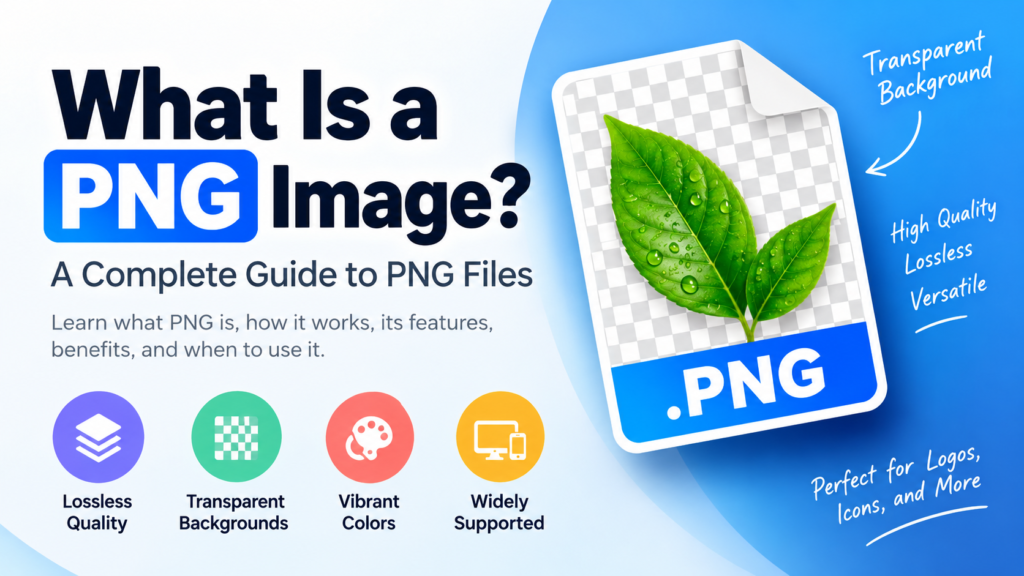
PNG is one of the most widely used image formats for digital graphics, websites, and everyday image editing. It is known for preserving image quality and supporting transparent backgrounds, making it a popular choice for logos, screenshots, icons, and illustrations.
But what makes PNG different from other image formats? When should you use it, and is it always the best option?
In this guide, we will explain what a PNG image is, how it works, its key features, and how it compares with JPG and WebP.
What Is a PNG Image?
PNG stands for Portable Network Graphics. It is a raster image format designed to store and display digital images while preserving image data through lossless compression.
Unlike formats that commonly reduce file size by removing some image information, PNG compression retains the original pixel data. This makes it particularly useful for graphics that require sharp details, clear text, and accurate colors.
PNG also supports transparency, allowing an image to have a transparent background instead of a solid color. This feature is widely used in graphic design and website development.
A PNG file usually ends with the .png extension. For example:
company-logo.png
website-icon.png
screenshot.png
PNG is supported by most modern computers, smartphones, web browsers, and image editing applications.
How Does PNG Compression Work?
Digital images contain information about individual pixels, including their colors and, when supported, transparency.
PNG uses a lossless compression method to reduce the amount of storage required for this information. It does this without permanently removing image details.
When the file is opened, the image can be reconstructed from the compressed data.
For example, a screenshot containing text and interface elements can be saved as PNG while retaining the original pixel information.
However, lossless compression does not mean that every PNG file will be small. Images with complex details or large dimensions can still produce large files.
Key Features of PNG Images
Lossless Image Compression
PNG preserves pixel information during compression. This is useful when image accuracy matters, particularly for graphics containing text, lines, and sharp edges.
Repeatedly saving an image as PNG does not introduce the same type of compression loss associated with repeatedly saving a JPG at lossy quality settings.
Transparent Backgrounds
PNG supports transparency through an alpha channel. This allows some or all of an image’s background to be transparent.
For example, a logo can be placed over a website’s colored background without displaying a rectangular white box around it.
Transparency is especially useful for:
- Logos
- Icons
- Stickers
- Product cutouts
- Illustrations
- Website graphics
Support for Different Color Depths
PNG supports several color modes and color depths, including images with millions of colors.
This makes it suitable for both simple graphics and detailed digital artwork.
The actual color depth depends on how the PNG file was created.
Sharp Text and Graphic Details
PNG is well suited to images that contain:
- Text
- Diagrams
- Screenshots
- Simple illustrations
- Geometric shapes
Its lossless compression helps preserve these details without introducing the blocky or blurry artifacts that can appear in heavily compressed photographs.
What Is a Transparent PNG?
A transparent PNG is an image that contains areas with no visible background color.
Consider a company logo saved in two different ways:
- Logo with a white background: The image includes a white rectangular area around the logo.
- Transparent PNG logo: The surrounding area is transparent, so the logo can be placed over different backgrounds.
Transparent PNG files are commonly used in branding, presentations, website design, and digital marketing.
Does Every PNG Have a Transparent Background?
No. PNG supports transparency, but not every PNG image uses it.
A PNG photograph or screenshot may have a completely solid background. Transparency depends on how the image was created or edited.
PNG vs JPG: What Is the Difference?
PNG and JPG are both raster image formats, but they are designed for different purposes.
The most important difference is their approach to compression.
PNG uses lossless compression, while JPG generally uses lossy compression. JPG is often more efficient for photographs because it can reduce file size by removing some image information.
| Feature | PNG | JPG |
|---|---|---|
| Full form | Portable Network Graphics | Joint Photographic Experts Group |
| Compression | Lossless | Usually lossy |
| Transparency | Supported | Not supported in standard JPG |
| Best suited for | Graphics, logos, screenshots | Photographs |
| File size for photos | Often larger | Often smaller |
| Common extensions | .png | .jpg, .jpeg |
Which Format Should You Choose?
Use PNG when:
- You need a transparent background.
- You are saving a logo or icon.
- Your image contains sharp text or graphics.
- Preserving pixel data is important.
Use JPG when:
- You are saving photographs.
- You need a smaller file size.
- Transparency is not required.
- You are preparing images for storage or web delivery.
Neither format is universally better. The right choice depends on the image and its intended use.
PNG vs WebP: Which Is Better?
WebP is a modern image format developed for efficient web delivery. It supports both lossy and lossless compression, as well as transparency.
PNG remains useful for editing, sharing, and storing graphics that require lossless quality. WebP can be a strong alternative when website performance and file size are priorities.
| Feature | PNG | WebP |
|---|---|---|
| Lossless compression | Yes | Yes |
| Lossy compression | No | Yes |
| Transparency | Yes | Yes |
| Common use | Logos, graphics, screenshots | Web images and optimized graphics |
| File extension | .png | .webp |
For a website, the best format depends on image quality requirements, browser support, and how the image will be delivered.
Advantages of PNG Images
PNG offers several practical benefits:
1. Preserves image data
Lossless compression helps maintain the original pixel information.
2. Supports transparency
Transparent backgrounds make PNG useful for logos, icons, and design elements.
3. Suitable for screenshots
Text and interface details can remain sharp and readable.
4. Works across many platforms
PNG is supported by common operating systems, browsers, and image editing tools.
5. Useful for graphic design
Designers can export illustrations and other graphics without relying on lossy compression.
Disadvantages of PNG Images
PNG is not ideal for every situation.
Larger files for photographs: Detailed photographs often take up more space as PNG than as JPG.
May affect website performance: Large, unoptimized PNG files can increase page loading time.
Does not restore lost quality: Converting a low-quality JPG to PNG cannot recover details that were already removed.
Limited animation support: Standard PNG is a still-image format. Animated PNG, or APNG, is a separate extension that supports animation.
Common Uses of PNG Images
PNG is widely used in digital media because of its image quality and transparency support.
Logos and Branding
Businesses often use transparent PNG files for logos that need to appear on websites, presentations, and marketing materials.
Screenshots
PNG is a useful format for capturing software interfaces, website layouts, and text-based images.
Website Graphics
Icons, buttons, illustrations, and other design elements can be saved as PNG when transparency or lossless quality is needed.
Digital Illustrations
Artists and designers may export artwork as PNG to preserve details and transparent areas.
Presentations
PNG files can be inserted into PowerPoint, Google Slides, and other presentation tools.
How to Open a PNG Image
PNG files can be opened using most standard image viewing applications.
On Windows
- Locate the PNG file.
- Double-click the file.
- Open it using Photos or another image viewer.
On Mac
- Find the PNG image.
- Double-click the file.
- View it in Preview or another supported application.
On Android and iPhone
Open the Gallery or Photos app and select the PNG image. You can also view PNG files through compatible file manager applications.
Most modern web browsers can display PNG images directly.
How to Convert an Image to PNG
You can convert images such as JPG, BMP, or other supported formats into PNG using image editing software or online conversion tools.
The general process is:
- Open the image in an image editor.
- Select Save As, Export, or a similar option.
- Choose PNG as the output format.
- Save the file.
Does Converting JPG to PNG Improve Quality?
No. Converting a JPG to PNG does not restore details lost during JPG compression.
The resulting PNG may preserve the current appearance of the image, but it cannot recreate missing pixels.
If you need a transparent background, you must remove the existing background using an image editing tool before exporting the file.
Is PNG Good for Websites?
PNG can be an excellent choice for website graphics, but it is not always the most efficient option.
It works well for:
- Transparent logos
- Icons
- Screenshots
- Small illustrations
- Graphics with sharp edges
For large photographs, JPG or WebP may offer a smaller file size.
How to Optimize PNG Images
If you use PNG files on a website, consider the following:
- Resize images to the dimensions required by the page.
- Remove unnecessary metadata when appropriate.
- Use image compression tools that preserve the quality you need.
- Choose WebP or another suitable format for photographs when possible.
- Avoid uploading unnecessarily large images.
Optimizing images can help reduce storage requirements and improve page performance.
Frequently Asked Questions
What is a PNG image used for?
PNG images are commonly used for logos, screenshots, icons, illustrations, and graphics that require transparency or lossless compression.
Is PNG better than JPG?
PNG is better suited to graphics and transparent images, while JPG is often more suitable for photographs. The best format depends on the intended use.
Can PNG images have transparent backgrounds?
Yes. PNG supports transparency, although not every PNG file has a transparent background.
Does PNG reduce image quality?
PNG uses lossless compression, which preserves pixel data during compression. However, resizing or editing the image can still affect its quality.
Can I convert a JPG to PNG?
Yes. You can convert a JPG image to PNG using image editing software or an online conversion tool. This does not restore lost image details.
Is PNG suitable for printing?
PNG can be used for some printing purposes, especially when a high-resolution graphic is required. However, the appropriate format depends on the printing workflow and the requirements of the printer or design professional.
What is the difference between PNG and PNG-8?
PNG-8 is a PNG color mode that uses a palette of up to 256 colors. It can produce smaller files for simple graphics, while full-color PNG files support a much wider range of colors.
Conclusion
PNG is a versatile image format that combines lossless compression with support for transparent backgrounds. These features make it useful for logos, screenshots, icons, illustrations, and other digital graphics.
Although PNG can preserve image details, it may produce larger files than JPG when used for photographs. Choosing the right format depends on whether you need transparency, image accuracy, or a smaller file size.
Understanding the strengths and limitations of PNG helps you select the right image format for your website, design projects, and everyday digital images.