
If you have ever downloaded a logo, opened an SVG file, or wondered why some images can be enlarged without becoming blurry, you have probably come across vector images.
But what is a vector image, exactly?
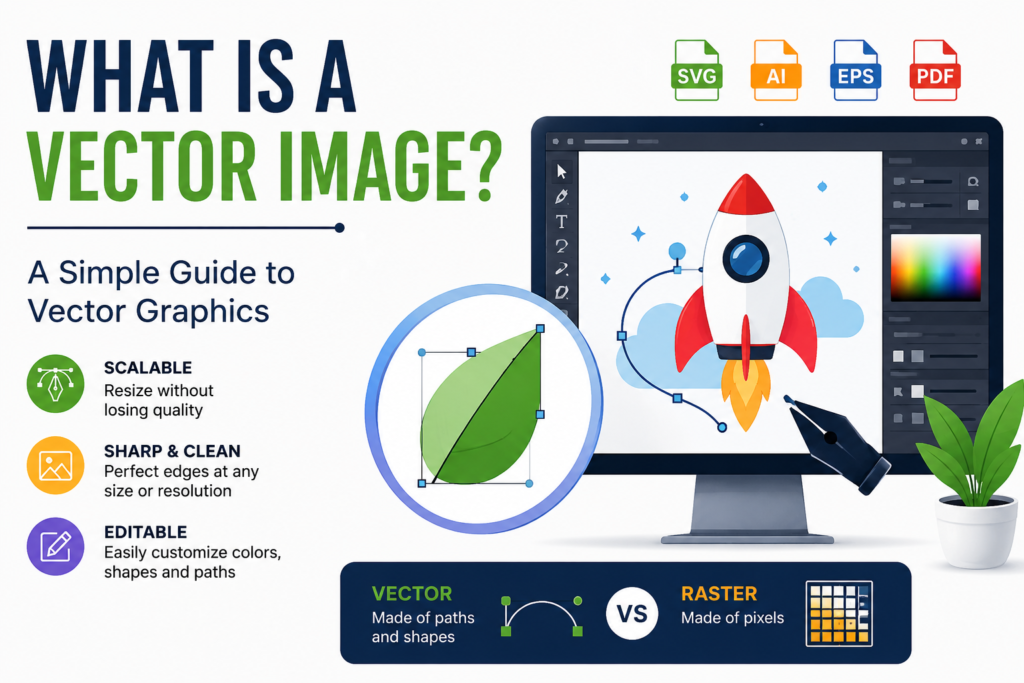
A vector image is a digital graphic created using mathematical paths, shapes, lines, curves, and points rather than a fixed grid of pixels. Because the image is based on mathematical instructions, it can usually be scaled up or down without losing its sharpness.
This makes vector images especially useful for logos, icons, illustrations, diagrams, typography, and other graphics that need to look clear at different sizes.
What Is a Vector Image?
A vector image is a graphic made from mathematical paths and geometric shapes instead of individual pixels.
For example, a simple vector circle is not stored as thousands of tiny colored pixels. Instead, the file contains information describing the circle’s position, size, outline, and color.
When you resize the image, the software recalculates the shapes and paths to fit the new dimensions. This is why a vector graphic can remain sharp even when enlarged significantly.
Common vector file formats include:
- SVG (.svg)
- AI (.ai)
- EPS (.eps)
- PDF (.pdf), when it contains vector artwork
- CDR (.cdr)
However, the file extension alone does not always determine whether an image is vector-based. For example, a PDF can contain either vector graphics, raster images, or both.
How Do Vector Images Work?
Vector graphics are built from mathematical elements such as:
- Points
- Lines
- Curves
- Shapes
- Paths
- Colors
- Strokes and fills
Imagine a designer creating a logo consisting of a circle, a rectangle, and several curved lines. Instead of storing every pixel in the logo, a vector file stores instructions describing these objects.
When the logo is displayed, the graphics software uses those instructions to render the image.
This is the main reason vector graphics can be resized while maintaining clean edges.
Vector Images vs. Raster Images
The biggest difference between vector and raster images is how they are constructed.
Vector images are created from paths and mathematical shapes, while raster images are made from pixels.
JPEG, PNG, GIF, and WebP are common raster image formats.
| Feature | Vector Image | Raster Image |
|---|---|---|
| Made from | Paths and shapes | Pixels |
| Scaling | Can usually scale without quality loss | Can become blurry when enlarged |
| Best for | Logos, icons, illustrations | Photos and detailed images |
| Common formats | SVG, AI, EPS | JPG, PNG, WebP |
| File size | Often efficient for simple graphics | Depends heavily on resolution and compression |
| Editing | Objects can often be edited individually | Pixel-level editing is common |
Neither format is universally better. The right choice depends on what kind of image you are creating.
Why Don’t Vector Images Become Blurry?
This is one of the biggest advantages of vector graphics.
A raster image has a specific number of pixels. If you take a small JPG and enlarge it significantly, the software has to create or estimate additional pixels. The result can look pixelated or blurry.
A vector graphic works differently.
Because its shapes are represented mathematically, the software can recalculate the paths when the image is resized. The edges therefore remain smooth at different display sizes.
For example, the same vector logo could be used on a small business card and a large billboard without creating a separate version for every physical size.
What Are Vector Images Used For?
Vector graphics are particularly useful when an image needs to remain sharp at many different sizes.
Logos
Company logos are one of the most common uses for vector graphics.
A logo may appear on a website, business card, product package, signboard, or large advertisement. Having a vector version allows designers to resize the logo for different applications without sacrificing sharp edges.
Icons
Website and app icons often use vector graphics because the same design may need to appear at multiple sizes.
SVG is particularly useful for icons on websites because it can scale to different screen sizes.
Illustrations
Digital illustrations with clean shapes, lines, and flat colors can work very well as vector artwork.
Infographics
Charts, diagrams, maps, and other informational graphics frequently use vector elements because individual shapes and text need to remain clear.
Typography
Many fonts are based on vector outlines. This allows letters and characters to be rendered at different sizes while maintaining smooth edges.
Printing
Vector artwork is widely used in professional printing. A single design can be prepared for different print sizes without having to recreate the artwork from scratch.
What Is an SVG Vector Image?
SVG, or Scalable Vector Graphics, is a vector image format designed for displaying graphics on the web and other digital platforms.
Unlike JPG or PNG files, SVG files can describe graphics using vector shapes and paths.
For example, a simple logo saved as SVG can often be displayed at a small size on a website and enlarged substantially without the edges becoming pixelated.
SVG files can also be edited using compatible graphics software or, because they are XML-based, directly as text in many cases.
This makes SVG particularly useful for:
- Website logos
- Icons
- Simple illustrations
- Charts
- Diagrams
- Interface graphics
Can Photos Be Vector Images?
Usually, photographs are not naturally suited to vector graphics.
A photograph contains enormous amounts of detailed color and texture information. Raster formats are generally much better suited to storing this type of visual information.
It is possible to trace or convert a photograph into vector artwork, but the result is an approximation made from shapes and colors rather than the original pixel information.
For realistic photographs, formats such as JPG, PNG, or WebP are generally more practical.
Are Vector Images Better Than PNG or JPG?
Not necessarily.
The choice depends on the image.
A vector image is usually better for graphics such as logos, icons, diagrams, and simple illustrations where scalability and clean edges are important.
A PNG or JPG is generally more appropriate for photographs and other images containing complex textures, lighting, and millions of color variations.
For example:
Company logo → Vector/SVG
Photograph → JPG/WebP
Transparent web graphic → PNG or SVG, depending on the artwork
The important thing is to choose the format based on the job rather than assuming one format is always superior.
What Are the Advantages of Vector Images?
Vector graphics offer several important advantages.
1. Excellent Scalability
You can resize vector artwork to very small or very large dimensions while maintaining smooth edges.
2. Sharp Edges
Lines, curves, and shapes can remain crisp because they are rendered from mathematical information.
3. Easy Object Editing
In many vector editing programs, individual elements can be selected and modified separately.
You can change the color of one shape, move an object, adjust a curve, or change the size of a particular element without necessarily affecting the rest of the artwork.
4. Useful for Professional Design
Vector files are widely used in graphic design, branding, illustration, printing, and digital interfaces.
5. Efficient for Simple Graphics
A simple vector illustration can sometimes have a relatively small file size because it does not need to store information for every individual pixel.
What Are the Disadvantages of Vector Images?
Vector graphics also have limitations.
They are not ideal for every type of image.
Highly detailed photographs are generally much easier to represent using raster formats. Creating a vector version of a complex photograph could require an enormous number of shapes and paths.
Vector files can also require specialized software to create and edit, depending on the format and complexity of the artwork.
Another important point is that not every visual can be converted into a perfect vector simply by changing its file extension. Converting a JPG to SVG, for example, does not automatically recreate the original image as clean vector artwork. The image may need to be traced or recreated.
How Can You Tell If an Image Is Vector?
One of the easiest ways is to identify the file format, but this is not always enough.
SVG, AI, EPS, and many types of CDR files are commonly associated with vector graphics.
You can also open the file in vector editing software and zoom in significantly. If the artwork consists of editable paths and shapes and continues to render cleanly at different scales, it is likely vector-based.
However, some files can contain both vector and raster elements. A PDF, for example, may contain text and shapes as vectors while also containing embedded photographs.
Can You Convert a Raster Image Into a Vector Image?
Yes, but the quality of the result depends on the original image.
A simple logo with a few solid colors can often be converted into vector artwork relatively easily using tracing tools.
A detailed photograph is much more difficult to convert accurately because there are so many colors, textures, and small details.
Designers may use automatic tracing as a starting point and then manually clean up the resulting paths.
For important branding work, manually recreating the artwork as vector graphics can produce a better result than relying entirely on automatic conversion.
Which Vector Format Should You Use?
Different vector formats are designed for different purposes.
SVG: Excellent for websites, icons, logos, and digital graphics.
AI: Commonly associated with Adobe Illustrator and professional design workflows.
EPS: Frequently used for exchanging vector artwork in professional design and printing workflows.
PDF: Can preserve vector artwork and is widely used for sharing and printing, although a PDF is not automatically a vector-only file.
The best format depends on where and how the artwork will be used.
Vector Images in Everyday Life
You may use vector graphics without realizing it.
The logo at the top of a website may be an SVG. The icons inside a mobile application may be vector-based. A company sign outside a building may have been created from vector artwork before being sent to a printer.
Even illustrations, diagrams, maps, and many interface elements can rely heavily on vector graphics.
Their ability to scale cleanly makes them particularly valuable wherever the same design needs to work across different sizes and devices.
Final Thoughts
So, what is a vector image?
A vector image is a graphic created using mathematical paths, shapes, lines, curves, and other geometric elements rather than a fixed collection of pixels. This allows vector artwork to be resized while maintaining sharp and clean edges.
Vector graphics are especially useful for logos, icons, illustrations, diagrams, typography, branding, and print designs.
Raster images such as JPG and PNG remain better choices for many photographs and highly detailed visuals. In other words, vector and raster graphics are not competitors as much as they are different tools for different jobs.
If you understand the difference between the two, it becomes much easier to choose the right image format for a website, design project, or printing job.