
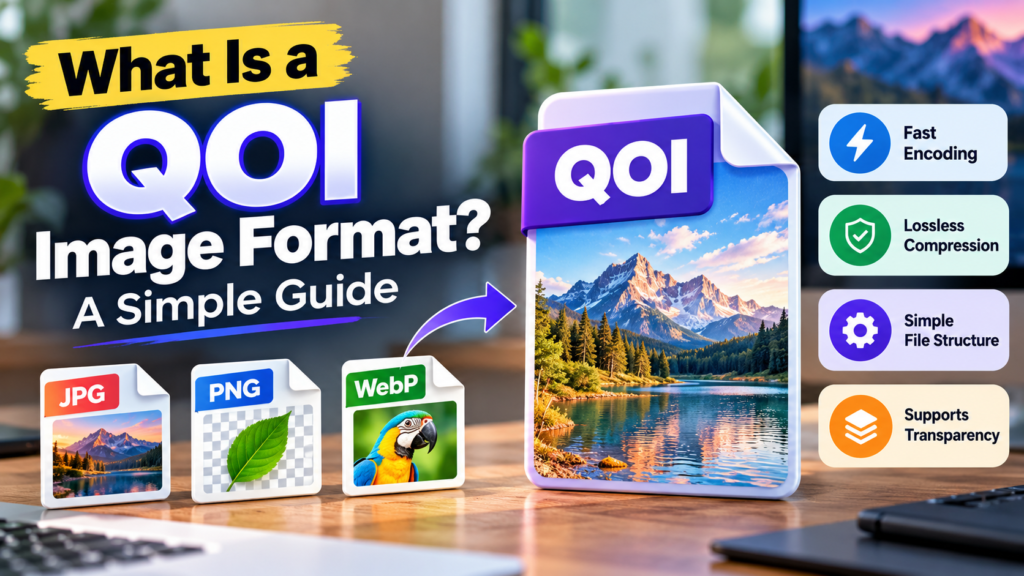
Images are an important part of websites, mobile apps, video games, and digital projects. Most people are familiar with image formats such as JPG, PNG, and WebP. However, there are many other formats designed for specific purposes. One of them is QOI, which stands for Quite OK Image.
QOI is an image format designed to make image compression and decompression fast while preserving the original pixel information. It uses a simple encoding method that can reduce the amount of data needed to represent an image without losing image details.
Different image formats work in different ways. For example, the JPG image format is widely used for photographs, while PNG is popular for graphics that need transparency or lossless compression. QOI offers another option, particularly for software developers and applications that need to process images quickly.
But what exactly is a QOI file? How does it work? Is it better than PNG or WebP? Can you open it on your computer? This guide explains everything you need to know about the QOI image format in simple English.
What Is a QOI Image Format?
QOI stands for Quite OK Image. It is a lossless image format created by Dominic Szablewski and introduced in November 2021.
The main purpose of QOI is to provide fast image encoding and decoding without changing the original pixel values. Encoding means converting image data into the QOI format, while decoding means converting that data back into a usable image.
QOI is designed for raster images, which are made up of individual pixels. These pixels contain colour information, usually represented by red, green, and blue values. Images can also include an alpha channel to represent transparency.
Unlike formats that remove some image information to reduce file size, QOI preserves the original pixel data. This makes it a lossless format, similar in that respect to PNG.
However, QOI uses a different compression method from PNG. Its design focuses on simple operations and fast processing rather than trying to produce the smallest possible file in every situation.
QOI can be useful for software projects, game assets, image-processing applications, and other situations where a simple, fast image format is valuable.
What Is a QOI File?
A QOI file is an image file saved in the Quite OK Image format. It normally uses the .qoi file extension.
Here are some examples of QOI filenames:
picture.qoiwebsite-logo.qoigame-texture.qoiphoto.qoi
A QOI file contains information about the image, including its width, height, colour channels, and encoded pixel data. Compatible software reads this information to reconstruct the image.
The file has three main parts.
1. Header: The header contains basic information about the image, such as its dimensions, number of colour channels, and colour-space setting.
2. Image data: This section contains the encoded pixel information. QOI uses different operations to represent repeated pixels, similar colours, and other pixel values.
3. End marker: A fixed sequence of bytes marks the end of the encoded image data.
This structure helps software understand the file and decode its contents.
A QOI file is not the same as a PNG or JPG file, even if both files contain the same picture. Each format stores image information differently. Changing .qoi to .png in the filename does not convert the image into PNG.
How Does QOI Image Compression Work?
To understand QOI, it helps to know how digital images are stored.
An image contains thousands or millions of pixels. Each pixel represents a particular colour. Storing the colour information for every pixel can require a large amount of data, especially for high-resolution images.
Image compression reduces the amount of data needed to represent an image. Some formats remove certain details to achieve smaller files, while lossless formats preserve the original pixel information.
The basic idea behind lossless image compression is to store data more efficiently without losing the information needed to reconstruct the original image.
QOI follows this approach using several simple encoding techniques.
1. Reusing Previous Pixel Colours
Images often contain repeated colours. For example, a simple illustration may have a large white background, while a game image may contain many pixels with the same colour.
QOI keeps track of previously encountered pixel values. When a suitable colour appears again, the format can refer to the stored value instead of writing the complete colour information again.
This helps reduce the amount of data required for images with repeated colours.
2. Storing Small Colour Changes
Pixels next to each other often have similar colours. Consider a photograph of a blue sky. The colour may change gradually across the image rather than changing completely from one pixel to the next.
QOI can represent certain small colour changes using compact instructions. This avoids storing full colour values every time a small change occurs.
The method is particularly useful when neighbouring pixels have similar colour values.
3. Using Repeated Pixel Runs
Some images contain long sequences of identical pixels. A flat background is a simple example.
Instead of storing the same pixel repeatedly, QOI can use a run-length instruction to indicate that a particular pixel should be repeated a certain number of times.
This technique can save space when an image contains large areas of the same colour.
4. Storing Complete Colour Values When Needed
Not every pixel is similar to the one before it. A photograph may contain sharp edges, contrasting colours, or sudden changes between objects.
When a pixel cannot be represented efficiently through the other operations, QOI can store its colour information directly.
The encoder chooses from several operations depending on the pixel data. The decoder then uses those operations to reconstruct the original pixels.
These techniques make QOI relatively simple to implement and allow it to process images quickly.
Is QOI a Lossless or Lossy Image Format?
QOI is a lossless image format. This means that the original pixel values can be recovered when the file is decoded correctly.
For example, imagine saving a digital illustration as a QOI file. If the file is decoded back into the same colour format, its pixel values can match those of the original image.
This is useful for illustrations, screenshots, pixel art, and other images where exact pixel information matters.
Lossless compression does not mean that the file will always be small. It only means that the compression process does not discard the original pixel information. The final size depends on the image and the compression method.
PNG is another popular lossless format. However, QOI and PNG use different encoding methods, so the same image may produce different file sizes in each format.
It is also important to distinguish between preserving image data and improving image quality. QOI can preserve the pixels it receives, but it cannot restore details that were already lost before the image was saved.
What Are the Main Features of QOI?
QOI has several features that make it useful for specific image-processing tasks.
Fast Encoding and Decoding
QOI was designed to make encoding and decoding fast. Its relatively simple operations can help applications process images without requiring a complicated decoder.
For example, software may need to load several images when a user opens a project. A format that can be decoded efficiently may help reduce processing time.
However, actual performance depends on the implementation, computer hardware, image dimensions, and the formats being compared.
Lossless Compression
QOI preserves the original pixel values. This is useful when an application needs an image without compression-related changes to its pixels.
It can be suitable for screenshots, icons, illustrations, and certain types of game graphics.
Simple File Structure
The QOI specification is relatively straightforward. Developers can implement support for it in image-processing tools, applications, and software libraries.
This simplicity is one of the reasons QOI is interesting to developers.
Support for RGB and RGBA Images
QOI supports RGB images with three colour channels and RGBA images with four channels.
The fourth channel, alpha, represents transparency. This allows QOI to store images with transparent areas, such as icons, sprites, and other graphics.
Preserves Pixel Information
QOI does not intentionally remove image details to achieve compression. When properly encoded and decoded, it preserves the image’s pixel values.
This differs from lossy formats such as JPG, which can change pixel values when an image is compressed.
What Are the Advantages of QOI?
QOI has several benefits, particularly in applications where speed, simplicity, and lossless image storage matter.
1. Quick Image Processing
QOI’s simple design can make encoding and decoding efficient. This can be useful for applications that need to process images frequently.
For example, a game or software tool may load multiple image assets during normal operation. QOI can be considered when fast decoding is an important requirement.
2. Preserves Image Details
Because QOI uses lossless compression, it does not discard pixel information during the encoding process.
This can be helpful for graphics where small changes to individual pixels would be unwanted.
3. Easy for Developers to Implement
QOI has a relatively simple specification. Developers can add support for it without needing to implement a particularly complicated compression system.
This can be useful when building a custom application or image-processing tool.
4. Supports Transparency
QOI supports RGBA images, which include transparency information. This makes it suitable for some icons, sprites, and other graphics that need transparent backgrounds.
5. Useful for Software and Game Development
QOI may be useful for internal image assets, game textures, illustrations, or resources loaded by software applications.
However, developers should test performance and file size before choosing a format for a particular project.
What Are the Disadvantages of QOI?
Although QOI has useful features, it also has limitations.
1. Limited Software Support
JPG and PNG are supported by almost every modern device and image viewer. QOI is less widely supported.
You may need a compatible image viewer, a specialised editor, or software that includes a QOI decoder.
This makes QOI less convenient for people who simply want to open and share images across different devices.
2. It May Not Produce the Smallest File
QOI focuses on fast and simple compression rather than always achieving the smallest possible file.
Depending on the image, PNG or WebP may produce a smaller result. The difference depends on the image content and the encoding methods used.
For websites, reducing file size can be important because large images take longer to download. Resizing images and choosing an appropriate format can help, and an online image compressor can reduce the size of supported JPG, PNG, and WebP files.
However, that tool does not currently advertise QOI support, so QOI files would need to be converted before using it.
3. Not Ideal for Ordinary Website Images
Most websites use formats that browsers support directly, such as JPG, PNG, and WebP.
QOI is not a standard image format that you can assume every browser will display directly. Using it for public website images may require a decoder or an additional conversion step.
For most website owners, a widely supported format is usually more convenient.
4. No Standard Animation Support
QOI is designed for individual images rather than animated sequences.
If you need an image that contains multiple frames, a format designed for animation is more suitable. For example, APNG supports animated PNG images and can display a sequence of frames.
5. Limited Standard Metadata Features
QOI’s standard structure focuses on pixel data and basic image information. It does not offer a general-purpose metadata system comparable to the metadata features available in some other image formats.
If your workflow depends on camera details, extensive metadata, or embedded colour profiles, check whether those details need to be stored separately.
QOI vs PNG: What Is the Difference?
PNG is one of the most widely used lossless image formats. QOI is another lossless option, but the two formats use different compression methods.
PNG uses DEFLATE compression along with filtering techniques to help reduce image data. QOI uses operations based on previous pixels, colour changes, and repeated pixel values.
Both can preserve image quality, but their file sizes and processing speeds can differ.
| Feature | QOI | PNG |
|---|---|---|
| Full name | Quite OK Image | Portable Network Graphics |
| Compression | Lossless | Lossless |
| Transparency | Yes | Yes |
| Encoding and decoding | Designed for speed and simplicity | Uses a different compression process |
| Browser support | Not generally supported directly | Widely supported |
| File size | Depends on the image | Depends on the image |
| Common use | Software and image-processing workflows | Websites, screenshots, and graphics |
For ordinary website graphics, PNG is often more practical because browsers and image-editing applications widely support it. QOI may be useful when an application benefits from its simple encoding and decoding process.
The choice depends on whether compatibility, file size, or processing speed is most important.
QOI vs WebP: Which Is Better?
WebP is a modern image format designed for efficient image delivery on websites. It supports both lossy and lossless compression, as well as transparency and animation.
QOI focuses on fast, lossless encoding and decoding.
| Feature | QOI | WebP |
|---|---|---|
| Lossless compression | Yes | Yes |
| Lossy compression | No | Yes |
| Transparency | Yes | Yes |
| Animation | No standard animation support | Yes |
| Browser support | Limited | Widely supported |
| Main strength | Simple and fast image processing | Efficient web image delivery |
If you are choosing an image format for a website, WebP is usually the more practical option because it has broad browser support and offers flexible compression choices.
QOI may be a better fit for certain internal software workflows where the speed and simplicity of decoding matter more than direct browser compatibility.
The WebP image format is especially worth considering when you want to balance image quality with smaller downloads for website visitors.
QOI vs JPG: What Is the Difference?
JPG, also known as JPEG, is widely used for digital photographs. It generally uses lossy compression, which reduces file size by discarding some image information.
QOI uses lossless compression and preserves the original pixel values.
| Feature | QOI | JPG |
|---|---|---|
| Compression | Lossless | Usually lossy |
| Pixel values | Preserved | May change during lossy encoding |
| Transparency | Supported | Not supported |
| Common use | Software and image processing | Photographs and everyday image sharing |
| Browser support | Limited | Widely supported |
JPG is generally more convenient for photographs, social media uploads, and ordinary image sharing because it is supported almost everywhere.
QOI may be useful when exact pixel preservation and fast processing matter more than universal compatibility.
The best choice depends on the purpose of the image and how it will be used.
How to Open a QOI File
Opening a QOI file may require different software from opening a JPG or PNG file because QOI support is not available in every image viewer.
Step 1: Check the File Extension
Confirm that the filename ends with .qoi. For example, picture.qoi is a QOI file.
Changing the extension to .png or .jpg will not convert the image. The file must be decoded and saved in the new format.
Step 2: Find Compatible Software
Look for an image viewer, editor, or conversion tool that specifically supports QOI. You can also check whether your existing image-processing software offers a QOI plugin.
Before installing unfamiliar software, make sure it comes from a trusted source.
Step 3: Open the Image
Open the file using compatible software. If the application supports QOI, it should decode and display the image.
If the file does not open, the software may not support the format, or the file may be damaged.
Step 4: Convert It to a Common Format
If you want to view or share the image more easily, convert it to PNG or another widely supported format.
PNG is a useful choice when you need to preserve pixel values and transparency. JPG may be suitable for photographs when smaller file sizes matter more than exact pixel preservation.
How to Convert a QOI File to PNG or JPG
Converting a QOI file involves decoding the original image and saving it in another format. You need software that supports QOI as an input format.
A typical conversion process works like this:
- Open a compatible image converter or image-processing program.
- Select the QOI file you want to convert.
- Choose PNG or JPG as the output format.
- Start the conversion.
- Open the converted image to check the result.
If you convert QOI to PNG using a proper lossless workflow, the decoded pixel values can be preserved. Converting to JPG may change the pixel values because JPG generally uses lossy compression.
Transparency also requires attention. Standard JPG does not support transparent pixels, so choose PNG if you need to preserve a transparent background.
Once you have an image in a supported format, you can use an image compression tool to reduce the file size of JPG, PNG, or WebP images where appropriate.
Is QOI Suitable for Websites?
QOI is not usually the first choice for images displayed directly on public websites.
The main reason is browser compatibility. You cannot assume that visitors’ browsers will display a QOI file directly in an ordinary image element.
It is possible to use QOI inside a web application with a suitable decoder, but that adds an extra technical step. For most websites, PNG and WebP are simpler options.
Website owners should also consider image dimensions, download size, and visual quality. A large image does not need to be displayed at full resolution if it appears as a small thumbnail.
Choosing an appropriate format and reducing unnecessary file size can improve the experience for visitors, particularly those using slower internet connections.
For images that need to meet a specific upload limit, such as 100KB, the best approach is to choose a suitable output format and adjust the image dimensions and compression settings as needed.
Who Should Use the QOI Image Format?
QOI is mainly worth considering for people who work with software, image processing, or digital assets.
Software Developers
Developers may use QOI when they need a simple image format that is fast to decode. It can be useful when adding image support to a custom application.
Game Developers
Game developers may consider QOI for certain textures, sprites, or other image assets. Its suitability depends on the game engine, target platform, storage limits, and performance requirements.
Image Processing Tool Developers
People building image converters, editors, and image-processing libraries may find QOI useful because its specification is relatively straightforward.
People Working With Lossless Images
QOI may suit workflows where exact pixel values matter, provided the software supports the format. PNG may still be more convenient when compatibility with different applications is important.
For most casual users who simply want to view, share, or upload photographs, QOI may offer few practical benefits over common formats such as JPG and PNG.
Frequently Asked Questions About QOI
What does QOI stand for?
QOI stands for Quite OK Image. It is a lossless image format designed for fast encoding and decoding.
Is QOI better than PNG?
Not in every situation. QOI focuses on simplicity and speed, while PNG offers broad compatibility and lossless compression. The better choice depends on the application and the image.
Does QOI reduce image quality?
No. QOI uses lossless compression, so the original pixel values can be recovered when the file is decoded correctly.
Can Chrome or other browsers open QOI files?
You should not assume that Chrome, Safari, Firefox, or other browsers can display QOI files directly. You may need compatible software or a decoder that converts QOI data into a format the browser can display.
Does QOI support transparency?
Yes. QOI supports RGBA images, which include an alpha channel for transparency.
Is QOI smaller than PNG?
Sometimes, but not always. The file size depends on the image content and the compression method. Testing both formats is the best way to determine which produces a smaller file for a particular image.
Can I convert QOI to JPG?
Yes, provided you use software that can decode QOI and save the image as JPG. However, JPG generally uses lossy compression, and transparency will be lost.
Is QOI a vector image format?
No. QOI is a raster image format that stores pixel-based images. SVG, by contrast, is a vector format that represents graphics using shapes, paths, and other drawing instructions.
Final Thoughts
QOI, or Quite OK Image, is a lossless image format designed for fast encoding, fast decoding, and a relatively simple file structure.
Its main strengths are speed and simplicity. It can be useful for software developers, game projects, and image-processing applications that need to work with pixel data efficiently.
However, QOI is not automatically the best format for every image. It has more limited support in everyday software and browsers than JPG, PNG, and WebP.
For ordinary website images, PNG or WebP will usually be more convenient. If you are developing software and need a straightforward lossless image format, QOI may be worth exploring.
The best format depends on what you need: fast processing, small file sizes, transparency, broad compatibility, or exact pixel preservation.