
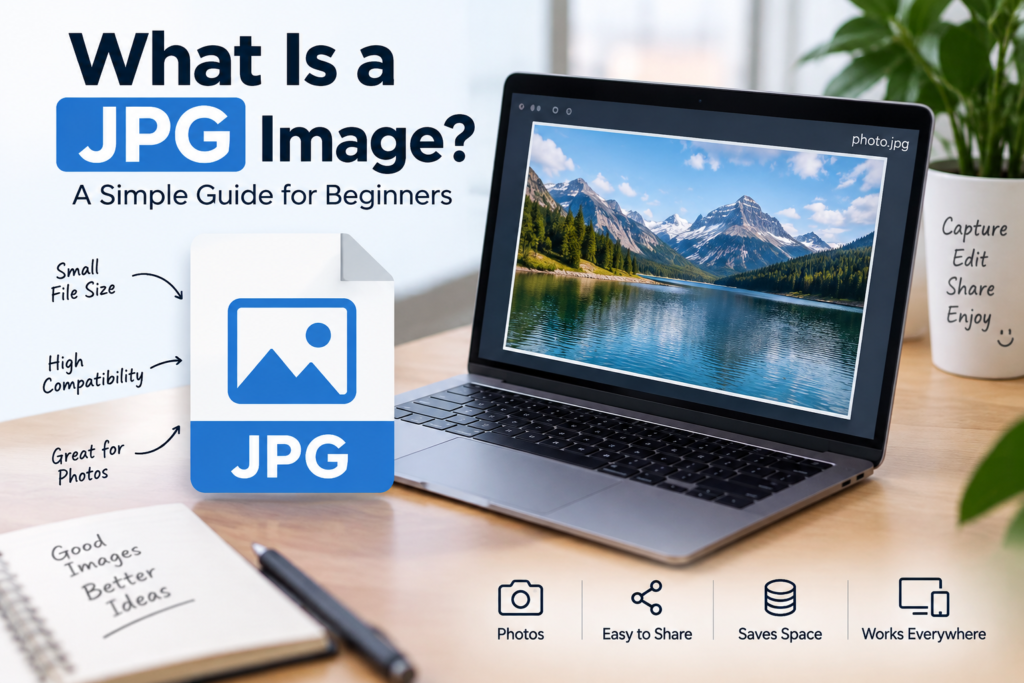
Have you ever taken a photo on your phone and wondered why the image is saved as JPG or JPEG? Most photos we take every day use this image format.
JPG is one of the most common image formats in the world. It is used for photos, website images, social media posts, and many other things.
In this guide, I will explain what a JPG image is, how it works, its advantages, and the difference between JPG and other image formats.
What Is a JPG Image?
A JPG image is a digital image file that uses the JPG format to store pictures.
JPG stands for Joint Photographic Experts Group, the group that developed this image format.
You may also see JPG written as JPEG. Both formats mean the same thing.
For example:
- photo.jpg
- picture.jpeg
- image.jpg
All these files use the JPG image format.
JPG is popular because it can make image files smaller while keeping good image quality.
How Does a JPG Image Work?
When you save a photo as JPG, the image is compressed.
Compression means reducing the size of an image file so it takes up less storage space.
For example, imagine you take a photo with your mobile phone. The original photo may have a large file size. When you save it as JPG, the file size can become smaller.
This helps you:
- Save storage space.
- Upload photos faster.
- Share images easily.
- Use images on websites.
JPG uses a type of compression called lossy compression.
This means some image information is removed to reduce the file size. The change may not be easy to notice when the image is saved at good quality.
What Is the Difference Between JPG and JPEG?
There is no important difference between JPG and JPEG.
Both are the same image format.
| JPG | JPEG |
|---|---|
| Short form of JPEG | Full file extension name |
| Uses .jpg | Uses .jpeg |
| Same image format | Same image format |
| Commonly used for photos | Commonly used for photos |
The main difference is the file extension. The image format itself is the same.
Advantages of JPG Images
JPG images are popular because they are easy to use and share.
1. Small File Size
JPG images can have a smaller file size than many uncompressed image formats.
This makes them useful when you want to save storage space or upload photos online.
2. Good for Photographs
JPG is a good choice for photos because it can store many colors and details.
It is commonly used for:
- Mobile phone photos.
- Travel pictures.
- Family photos.
- Product photos.
- Website photographs.
3. Easy to Share
JPG images work with most phones, computers, and websites.
You can easily send them through email, messaging apps, and social media.
4. Supported by Many Devices
Almost all modern devices support JPG images.
You usually do not need special software to open a JPG file.
5. Useful for Websites
JPG images can help reduce the size of website images.
Smaller images may load faster, depending on the image size, website, and internet connection.
Disadvantages of JPG Images
JPG is useful, but it is not perfect.
1. Loss of Image Quality
JPG compression can remove some image details.
If you save and compress the same JPG image many times, the quality may become worse.
2. Not Best for Transparent Images
JPG does not support transparency.
If you need an image with a transparent background, PNG is usually a better choice.
3. Not Ideal for Logos and Text
JPG may create blurry edges around small text, logos, and simple graphics.
PNG or SVG may be a better option for these types of images.
JPG vs PNG: What Is the Difference?
JPG and PNG are two popular image formats, but they are used for different purposes.
| Feature | JPG | PNG |
|---|---|---|
| Best for | Photos | Graphics and transparent images |
| Compression | Lossy | Lossless |
| Transparency | No | Yes |
| File size | Often smaller for photos | Can be larger for photos |
| Image quality | Can lose details | Preserves original image data |
| Common use | Photography | Logos, screenshots, graphics |
Which Format Should You Use?
Use JPG when:
- You want to save photos.
- You need a smaller image file.
- You are uploading photographs to a website.
- You want to share pictures easily.
Use PNG when:
- You need a transparent background.
- You are saving a logo.
- You need sharp text or simple graphics.
- You want to preserve image data without lossy compression.
How to Open a JPG Image
Opening a JPG image is very easy.
On a Mobile Phone
- Open your phone’s Gallery or Photos app.
- Find the JPG image.
- Tap the image to open it.
On a Computer
- Open the folder where your image is saved.
- Find the JPG file.
- Double-click the image.
The image will open in your default photo viewer.
How to Convert an Image to JPG
Sometimes you may have an image in PNG, WebP, or another format and want to convert it to JPG.
You can use an online image converter.
The general steps are:
- Open an image conversion tool.
- Upload your image.
- Select JPG as the output format.
- Click the convert button.
- Save the converted image.
Important: If your original image has a transparent background, converting it to JPG may remove the transparency.
Is JPG Good for Website Images?
Yes, JPG is a good choice for many website images, especially photographs.
For example, if you are writing a blog post about travel, food, or photography, JPG can be a useful image format.
However, the best format depends on the image.
- Photos: JPG or WebP may be suitable.
- Transparent logos: PNG or SVG may be better.
- Simple graphics: PNG or SVG may work better.
You should also resize and compress images before uploading them to your website.
Frequently Asked Questions
Is JPG the same as JPEG?
Yes. JPG and JPEG are the same image format.
Is JPG better than PNG?
Not always. JPG is often better for photographs, while PNG is useful for transparent images and graphics.
Can JPG images have a transparent background?
No. JPG does not support transparency.
Does JPG reduce image quality?
Yes. JPG uses lossy compression, which can remove some image information.
Can I convert JPG to PNG?
Yes. You can convert a JPG image to PNG using image editing or conversion tools. However, converting JPG to PNG does not bring back image details that were already lost.
What is the full form of JPG?
JPG stands for Joint Photographic Experts Group.
Conclusion
JPG is one of the most widely used image formats. It is simple, easy to share, and useful for storing photographs.
The main benefit of JPG is that it can reduce image file size while keeping good visual quality. However, it does not support transparency and may lose image details because of compression.
If you are saving photos or uploading images to a website, JPG is often a good choice.
In simple words, JPG is a popular image format that helps you store and share photos using less storage space.