
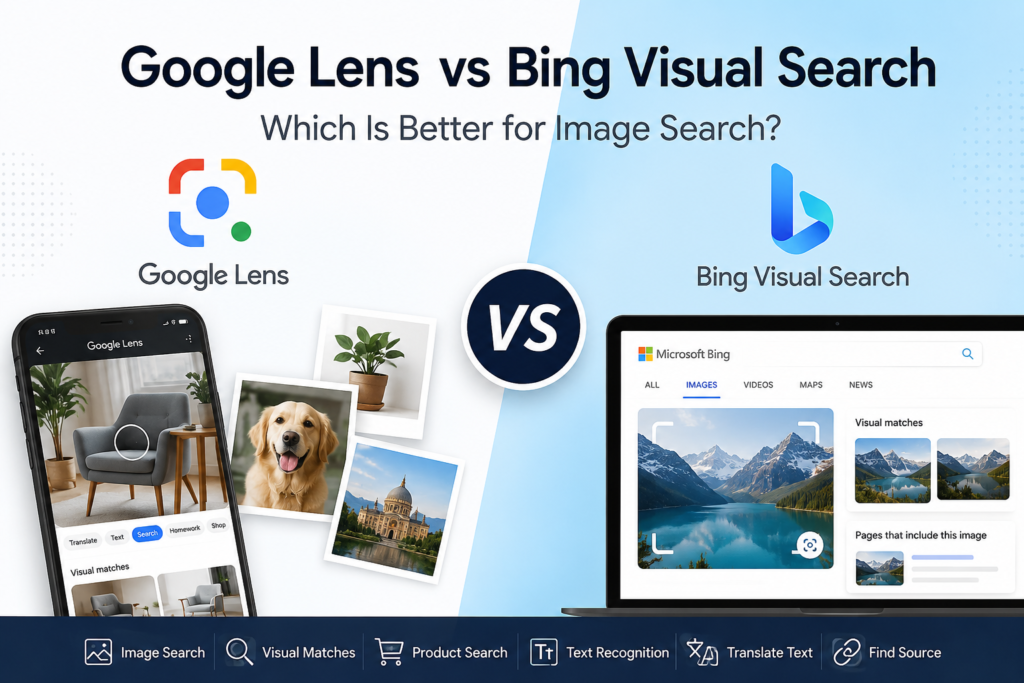
When you find an interesting photo online, you may want to know what it shows, where it came from, or whether you can find similar images. You can do all of this without describing the image in words.
Two popular tools for this are Google Lens and Bing Visual Search.
Both let you search the web using an image instead of a normal text query. However, they work a little differently and can be better suited to different types of searches.
So, which one should you use?
The answer depends on what you are trying to find.
What Is Google Lens?
Google Lens is Google’s visual search tool. It can analyze a photo, screenshot, or camera view and help you find information related to what is shown in the image.
You can use Lens to identify objects, find similar images, recognize plants and animals, translate text, copy text from images, discover products, and learn more about places and other objects.
For example, imagine you see a chair you like in a photograph but do not know its name.
Instead of searching for “brown wooden chair with curved back,” you can upload the photograph to Google Lens. Lens can identify the object and show visually similar results.
Google also allows you to search with an image from your computer by uploading a file, dragging an image into Google Search, or using an image URL.
What Is Bing Visual Search?
Bing Visual Search is Microsoft’s image-based search tool.
Instead of typing keywords into Bing, you can upload an image, paste an image URL, drag an image into the search box, or use a camera-supported option.
Bing then analyzes the image and can show similar images, webpages containing the image, products, and other information related to what is shown.
Bing Visual Search can also identify objects, people, animals, shows, and text in images. Microsoft says the tool can extract, copy, and translate text from images as well.
Google Lens vs Bing Visual Search
The biggest difference is not that one tool can search images and the other cannot. Both can do that.
The difference is in the types of results and the wider search features each company has built around visual search.
| Feature | Google Lens | Bing Visual Search |
|---|---|---|
| Search using an image | Yes | Yes |
| Find similar images | Yes | Yes |
| Identify objects | Yes | Yes |
| Product search | Yes | Yes |
| Find webpages using an image | Yes | Yes |
| Extract text | Yes | Yes |
| Translate text | Yes | Yes |
| Identify plants and animals | Yes | Yes |
| Search using a screenshot | Yes | Yes |
| Search with image + text | Strong | Available |
| Camera-based search | Strong | Available |
| Desktop image upload | Yes | Yes |
Features can vary depending on your device, browser, country, and version of the service.
1. Which Is Better for Finding Similar Images?
Both tools can find visually similar images.
Google Lens compares objects in an image with other images and uses visual information along with other signals to determine relevant results.
This makes Lens particularly useful when you want to explore an image rather than simply find an exact copy.
For example, you could upload a picture of:
- A piece of furniture
- A dress
- A pair of shoes
- A building
- A plant
- A painting
Google Lens can then show similar visual results and related information.
Bing Visual Search can also return visually similar images and related searches. Microsoft’s documentation specifically lists visually similar images as one of its visual-search insights.
Winner: Google Lens, by a small margin
For general visual discovery, I would start with Google Lens.
2. Which Is Better for Finding the Original Source?
This is where you should try both tools.
Neither search engine should be treated as a guaranteed way to find the first-ever publication of an image.
Google Lens can show websites containing the image or a similar image.
Bing Visual Search can also show webpages that include the image.
If your goal is to find the original source of a photograph, compare the results from both.
Look for:
- The oldest-looking publication
- The photographer or creator
- The original website
- Image credits
- The earliest dated page
- Higher-quality versions of the image
Winner: Tie
For source tracing, using both is often better than relying on only one.
3. Which Is Better for Product Search?
Google Lens is particularly useful for shopping-related searches.
You can photograph or upload an item and use Lens to find product information, prices, deals, reviews, and places where the product is available. Google also allows visual searches to be refined with text.
For example, suppose you see a black backpack but want the same style in another color.
You can search for the backpack with Lens and then refine the search with additional words.
Bing Visual Search also supports shopping-related results and can identify products from images.
Winner: Google Lens
If your main goal is finding products from photographs, Google Lens is usually the first tool I would try.
4. Which Is Better for Text in Images?
Both tools can work with text.
Google Lens can copy text from photographs and translate text in real time. Google says Lens can translate text in more than 100 languages.
Bing Visual Search can also extract, copy, and translate text from images. Microsoft says Visual Search supports more than 100 languages, although availability can vary by device and market.
This makes either tool useful for:
- Signs
- Menus
- Screenshots
- Documents
- Product labels
- Handwritten text
- Foreign-language text
Winner: Tie
Try both if one tool struggles to recognize the text in your image.
5. Which Is Better for Screenshots?
Screenshots are excellent inputs for visual search.
With Google Lens, you can upload a screenshot or search an image from your device. You can also select a specific part of an image instead of searching the entire screenshot.
Bing Visual Search also supports image uploads and can search using images captured from your screen or saved on your device.
This is useful when you have a screenshot of:
- A movie
- A product
- A person
- A location
- A website
- A social media post
- An unknown object
Winner: Google Lens
Google’s ability to combine visual search with additional text makes it especially useful for narrowing down screenshot searches.
6. Google Lens Has an Important Advantage: Image + Text Search
One of Google’s useful features is the ability to combine an image with words.
For example, imagine you photograph a red dress and want to find the same style in blue.
Instead of relying only on the image, you can add a text description such as “blue.”
Google calls this type of search multisearch. It allows an image and text to be used together to refine a search.
This can be extremely useful when a normal reverse image search gives you results that are visually similar but not exactly what you want.
7. Bing Visual Search Has Some Useful Advantages Too
Bing should not be ignored.
Its Visual Search can identify objects and text, find similar images, provide shopping sources, show related searches, and find webpages containing an image.
It can also be convenient if you already use Bing, Microsoft Edge, or Windows.
Microsoft supports Visual Search directly through Bing and provides options such as uploading an image, dragging an image into the search box, or pasting an image or URL.
So if Google Lens does not give you useful results, Bing is an excellent second search engine to try.
Google Lens vs Bing Visual Search: Which One Should You Use?
There is no single winner for every image search.
Use Google Lens when you want to:
- Identify an object
- Find similar images
- Search for products
- Identify plants or animals
- Translate or copy text
- Search using an image and additional words
- Explore information about something you photographed
Use Bing Visual Search when you want to:
- Find visually similar images
- Find webpages containing an image
- Search for products from a photograph
- Extract or translate text
- Try another visual search engine when Google does not give good results
- Search visually while using the Microsoft/Bing ecosystem
Why You Should Use Both
The most useful approach is not necessarily choosing one tool and ignoring the other.
Image search engines have different indexes, ranking systems, and ways of interpreting images. As a result, the same photograph can produce different results on Google Lens and Bing Visual Search.
For example, imagine you are trying to identify an unknown building.
You could:
- Upload the photograph to Google Lens.
- Check the identified location or related results.
- Save the useful keywords you discover.
- Search the same photograph with Bing Visual Search.
- Compare the visually similar images and webpages.
- Use the combined information to verify the result.
This approach can be much more effective than repeatedly changing keywords in a normal Google search.
Final Verdict
Google Lens is the better starting point for most people. It has strong visual recognition, product discovery, text tools, and the ability to combine images with text when refining searches.
However, Bing Visual Search is an excellent second option, especially when you are trying to find visually similar images, webpages containing an image, products, or information that Google Lens did not surface.
The smartest strategy is therefore simple:
Try Google Lens first. If the results are incomplete, try Bing Visual Search with the same image.
When you are trying to identify an image, find its source, locate a product, or discover similar pictures, using two visual search engines can give you a much better chance of finding the answer.
Quick answer
Google Lens: Best overall for visual search, identification, products, text, and image + text searches.
Bing Visual Search: Excellent for similar images, webpages, products, text extraction, and as a second opinion.
For important image searches: Use both.