
Instagram is full of useful and interesting images. You may find a photo you want to look at later, use it as inspiration, or simply keep it organized for future reference.
But how do you save an image on Instagram?
Instagram has a built-in Save feature that lets you bookmark posts without downloading them to your phone. You can also organize saved posts into collections.
In this guide, we will explain how to save an image on Instagram, how to find your saved images later, and what you should know about downloading Instagram images.
How Do You Save an Image on Instagram?
Saving an image on Instagram is very easy. You can do it from the Instagram mobile app or from the web version.
Step 1: Open Instagram
Open the Instagram app on your iPhone or Android phone and log in to your account.
You can also use Instagram from a web browser on your computer.
Step 2: Find the Image You Want to Save
Scroll through your Instagram feed or visit a profile and find the image or post you want to save.
Instagram’s Save feature works with regular photo posts, carousels, and many other types of posts.
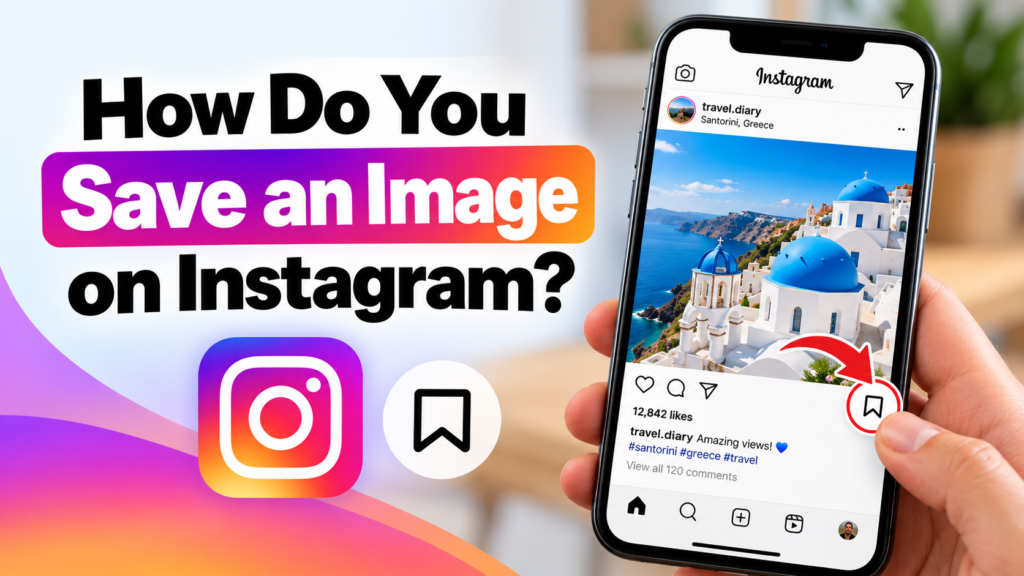
Step 3: Tap the Save Icon
Look at the bottom-right corner of the Instagram post.
You will see a bookmark-shaped icon.
Tap the bookmark icon.
The icon will change to show that the post has been saved.
That’s it. The Instagram image is now saved to your account.
Where Are Saved Images on Instagram?
Instagram does not save the image directly to your phone’s gallery when you use the Save button.
Instead, it saves a bookmark to the post inside your Instagram account.
To find your saved posts:
- Open Instagram.
- Go to your profile.
- Tap the menu icon (☰).
- Select Saved.
- You will see the posts you have saved.
You can tap any saved post to open it again.
How to Save Instagram Images into Collections
If you save many Instagram posts, finding a particular image can become difficult.
Instagram lets you organize saved posts into Collections.
For example, you could create collections such as:
- Travel Ideas
- Home Decor
- Photography
- Recipes
- Fashion
- Blog Ideas
- Wallpapers
- Business Ideas
How to Create a Collection
When you save a post, Instagram may give you the option to add it to a collection.
You can also create a collection from your Saved section.
Choose Create Collection, enter a name, and then add relevant saved posts to it.
This makes it much easier to find your favorite Instagram images later.
Can You Save an Instagram Image Without the Save Button?
Yes, but there is an important difference.
The Instagram Save button bookmarks the post inside Instagram. It does not download the original image to your device.
If you want an actual copy of an image on your phone or computer, you would need to use another method, depending on the post and your rights to use the image.
For example, if the image belongs to you, you can use Instagram’s available options to access your own content.
For someone else’s image, you should be careful before downloading, editing, reposting, or using it commercially.
Can You Save Instagram Images to Your Phone?
The Instagram Save feature is mainly designed for bookmarking posts.
If you want to keep an image permanently on your phone, you may need to download it separately where Instagram and the content owner’s permissions allow it.
You should also remember that downloading an image does not automatically give you permission to reuse it.
An Instagram image may be protected by copyright.
For example, you should not assume that you can download a photographer’s image and use it on your website just because the image is publicly visible on Instagram.
What Happens If the Instagram Post Is Deleted?
This is an important thing to remember.
When you save an Instagram post, Instagram is essentially saving a reference to that post in your account.
If the original post is deleted, removed, or the account becomes unavailable, you may no longer be able to access the saved post.
Therefore, the Save feature should not be treated as a permanent backup of an image.
How to Save Your Own Instagram Images
If you want to keep copies of images that you uploaded to Instagram, it is better to keep the original photos on your phone, computer, or cloud storage.
You can also check Instagram’s account and content settings for options related to saving or downloading your own content. Instagram’s settings can change over time, so the exact menu names may be different depending on your app version.
What Is the Difference Between Saving and Downloading an Instagram Image?
The two terms are often confused.
| Feature | Save on Instagram | Download to device |
|---|---|---|
| Keeps the post in Instagram | Yes | Not necessarily |
| Saves image to phone gallery | No | Yes |
| Can organize into collections | Yes | No |
| Requires Instagram account | Yes | Depends on method |
| Useful for finding posts later | Yes | Yes |
| Gives copyright permission | No | No |
The biggest difference is simple:
Saving means bookmarking the Instagram post.
Downloading means creating a copy of the image on your device.
Why Should You Save Instagram Images?
There are many reasons to use Instagram’s Save feature.
You can save images that:
- Give you creative inspiration
- Contain useful information
- Show travel destinations
- Include recipes you want to try
- Give you home decoration ideas
- Help with photography inspiration
- Contain useful tutorials
- Give you ideas for future projects
Instead of taking screenshots of everything, you can use Instagram’s built-in Save feature to keep useful posts organized.
Frequently Asked Questions
Does Instagram notify someone when I save their image?
Generally, Instagram does not send the post creator a notification telling them that you saved their post.
Can other people see my saved Instagram posts?
Your personal saved posts and collections are generally private to your account. They are different from publicly liking or commenting on a post.
Does saving an Instagram post download it?
No. Saving a post bookmarks it inside Instagram. It does not normally download the image to your phone’s gallery.
Can I save an Instagram image without an account?
Instagram’s ability to save posts is tied to your Instagram account. Without an account, you cannot use your own Saved section in the same way.
Can I use a saved Instagram image on my website?
Not automatically. Saving or downloading an image does not give you copyright ownership or permission to republish it. If you want to use someone else’s image, check whether you have permission or whether the image is available under a suitable license.
Final Thoughts
So, how do you save an image on Instagram? Simply open the post, tap the bookmark icon, and Instagram will add it to your Saved section.
If you save many images, use Collections to organize them by topic. This is one of the easiest ways to keep track of useful Instagram posts without filling your phone’s storage with screenshots.
Just remember that saving an Instagram post is not the same as downloading an image. And if you want to reuse someone else’s image, always consider copyright and permission before using it.
In short:
Instagram post → Tap Bookmark → Saved → Find it later in your Saved section.